deviant art


Login
Join deviantART for FREE Take the Tour Lost Password?
Deviant Login
Shop
 Join deviantART for FREE Take the Tour
[x]

More from ~Yuelao

Featured in Groups:

Details

October 30, 2010
1,001 KB
1350×1000
Link
Thumb

Statistics

Comments: 96
Favourites: 73 [who?]
Views: 25,639 (8 today)
Downloads: 2,314 (1 today)
[x]
:iconyuelao:
Credits:
LEXS1411, lucifiel and heyisTi!


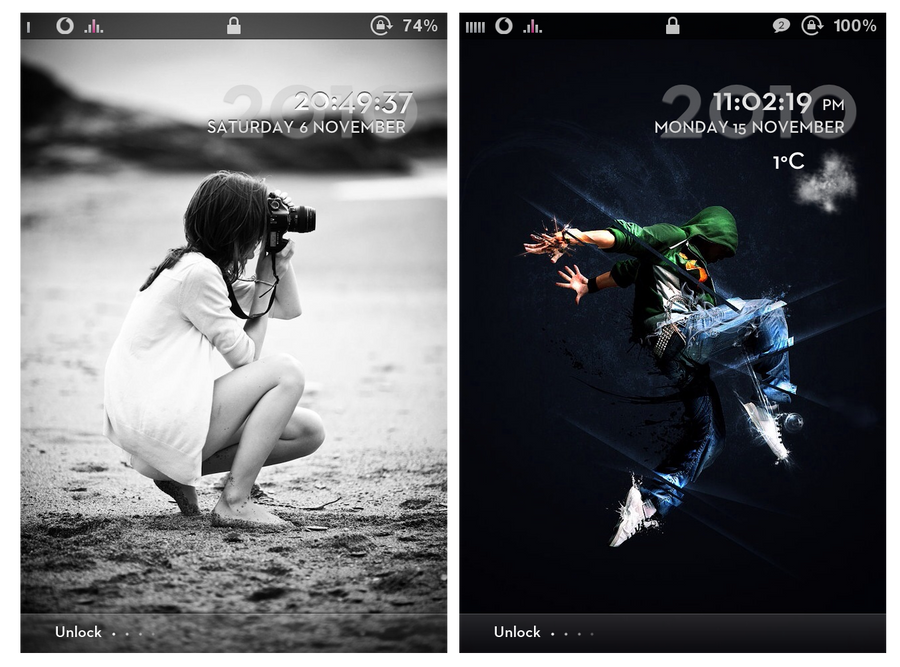
RELEASES:
24 hour: [link]
24 hour/weather: [link]

12 hour: [link]
12 hour/weather: [link]


NOT INCLUDED:
Font: Neutraface 2 is not for release, it is a commercial font.
Wifi bar: Cosca pack, available here: [link]
Carrier logos: [link]
Wallpaper

How to change weather location?

- Go to yahoo weather
- Enter place name or postal code
- On the forecast page, click "Extended Forecast"
- In the URL you will see for example "UKXX0085" for London, "FRXX0076" for Paris etc
- SSH into LockBackground.html
- replace "UKXX0085" with your location
- save and re-spring
:icon:
Add a Comment:
 
love 5 5 joy 2 2 wow 4 4 mad 0 0 sad 0 0 fear 0 0 neutral 0 0
:iconunvme48:
Could someone provide alternate links since the Mediafire links are broken? Thanks in advance.
Reply
:iconchampen85:
~Champen85 Apr 1, 2012  New member
Hey :)

I looooove this theme, u guys did a great job :D

maybe i can get it too?

Send it to: markpetersen_85@hotmail.com

thanks :)
Reply
:icon600rr:
Can you clarify the last statement of directing the LockBackground.html to the springboard.app? Still can't get the lock screen background to work
Reply
:iconwoody6866:
Ok use iFile to go the the Lockbackground.html and open it in text viewer. Scroll down towards the bottom of the list and look for these line

<td id="Backgrounds"> <img
width="320" height="480"
src=" /private/var/mobile/Library/Springboard/LockBackground.png
"> </td>

Make sure you edit your line with the src=" to look like the one I showed above.This redirects it to where you will be putting your image for the LockBackground

Now use ifile and navigate to var/mobile/Library/Springboard and copy whatever png you want to this folder. Then just rename that .png to LockBackground.png and it will now work
Reply
:iconwoody6866:
The src=" line will be a little different because it was directed to a different place on ios 4.0.1. Just change it to look like private/var/mobile/Library/Springboard/LockBackground.png exactly. I think this is about 3/4 of the way down when you open it in text viewer
Reply
:iconwoody6866:
Ok I just downloaded the original theme and all you need to change is the .jpg to .png in the lines above and then add the picture you want for the LockBackground to the directory I showed above.
Reply
:iconwoody6866:
Ok now it works like it did on ios 4.2.1 Weird. Just use the same method for directing the LockBackground.html to the springboard.app
Reply
:iconwoody6866:
Ok I just checked and it seems that you just need the Layer.png to make it work
Reply
:iconwoody6866:
Ok Guy I got it to work. If you had it working on ios 4.2.1 then all you have to do is go into the theme and instead of placing the wallpaper you want in the Springboard app which it use to be LockBackgroud, just pic that same picture and rename it to Layer.png and do another one and name it Layer Move2Unlock.png. Just place those to pic in the folder. It works for me now so hopefully it helps you
Reply
:iconwoody6866:
We need help getting this to work on the iphone 4s ios 5.0.1

This is my fav lockscreen and it doesnt show the lockscreen wallpaper. Plus the clock is a little weird again
Reply
:icon:
Add a Comment: